Starting a business means making about a thousand decisions a week, and somewhere in that pile sits the new business website. Everyone tells you to get one. Almost nobody tells you what the process involves: who owns it, what it costs after launch day, or why the cheap route sometimes turns out to be the expensive one.
This one is a bonus edition, written because I keep getting approached by new business owners who are launching a company and a website at the same time. They’re worried about getting the new business website wrong, and a good number of them are asking a more basic question: should I even have a website yet?
So consider this the guide to a new business website that we wish more new owners read before they called us. It’s built around the questions we hear most, with the pitfalls flagged along the way. Skim it, bookmark it, come back to it. You don’t need to be technical to follow any of it.
Short answer: yes. Longer answer: social media is great for reach, but you’re renting space there. The platform owns the rules, the algorithm, and your audience’s attention.
The numbers back this up. According to Network Solutions’ small business website statistics, 84% of consumers see a business website as more credible than social media alone, and 62% of customers will ignore a business with no web presence at all. Meanwhile, 81% of shoppers research online before they buy.
A new business website is the one place where you control the message, the look, and the next step you want a visitor to take. Social should point to your new business website, not replace it.
This is the question new owners skip, and it’s the one that causes the most grief later.
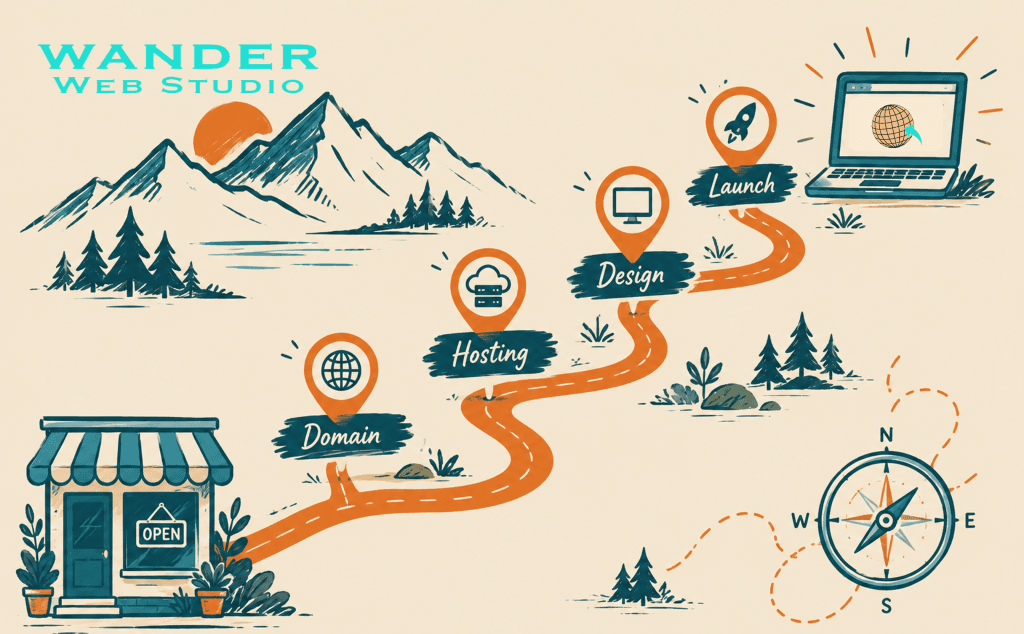
Three separate things make up a new business website: the domain (your web address), the hosting (where the site’s files live), and the site itself (the design, content, and code). Each one should be registered or licensed in your name, with your login. If a freelancer, a friend, or an agency set up the domain under their own account, you may find yourself asking permission to access your own business down the road.
Ask these before you sign anything: Is the domain registered to me? Do I have admin access to the hosting? Can I take my site with me if we part ways? A good partner answers all three without hesitating. If you want to see how we handle the hosting side, our web hosting page lays it out.
Here’s where it gets tricky, because the price range is enormous. Network Solutions notes that website costs run from under $100 to more than $100,000, depending on whether you use a builder or a professional team. That tells you almost nothing about what you need.
What we’d encourage you to budget for with a new business website is more than just the build of your business website. There are ongoing pieces too: hosting, security updates, backups, a domain renewal each year, and occasional changes as your business evolves. Skip those and a new business website can quietly fall apart, which is exactly what we covered in WordPress Maintenance: 5 Reasons Your Site is a Ticking Time Bomb.
When you compare quotes, compare what’s included over twelve months, not just the headline number.
Drag-and-drop builders are a legitimate option, and for a side project or a quick test they can be fine. The trouble shows up in the details a first timer doesn’t know to look for.
AI builders are the newest temptation for anyone planning a new business website. Network Solutions points out that AI tools can generate a website in minutes, and that speed is genuinely impressive. Speed isn’t the same as fit, though.
A few things to watch for:
I’m not anti-AI. It’s a handy assistant. It’s just a shaky foundation when it’s the only thing standing between your brand and the public.
Here are three quick checks any new business website must pass before launch.
Mobile. Mobile devices made up about 52% of global website traffic in early 2026, so your site must work well on a phone first, not as an afterthought. If tapping, scrolling, or reading feels awkward, visitors leave.
Speed. Test your pages on your phone, on cellular data, not just your office Wi-Fi. If you’re waiting, so are they.
Security. Look for the padlock (HTTPS) in the browser bar, make sure software updates are applied, and confirm backups exist. New businesses assume they’re too small to be a target. Automated attacks don’t care how small you are.
Here’s one that surprises people. Website accessibility, meaning whether people using screen readers or keyboards can use your site, has become a legal exposure for small companies, not just large ones.
Reporting from KRDO cites Seyfarth Shaw’s count of 5,006 federal ADA Title III lawsuits in the first half of 2026, up 9% from a year earlier. About two in three websites and app lawsuits tracked through mid-June were filed against companies with under $50 million in annual revenue. Building accessibility into your new business website from day one is far cheaper than retrofitting after you receive a demand letter. Our guide on website accessibility compliance walks through the details.
Launching your website isn’t the finish line. A new business website needs to be built so search engines, and increasingly AI assistants, can understand what you do and where you do it. That means clear page titles, helpful content written for real customers, accurate business details, and a structure that makes sense.
Skip this and your new business website ends up as a handsome page sitting in a dark corner of the internet.
Print this one. Before you hand over your new business website to any builder, freelancer, or agency, confirm:
You don’t need to master every item on that list. You do need a partner who can, and who’ll explain things in plain language rather than jargon.
That’s the kind of work we do at Wander Web Studio, building a new business website for owners who’d rather spend their energy running the business. If any section above made you wince, or you’re simply not sure where to start, send us a note. No pressure, no pitch deck. Just a conversation about what your business needs and what a smart first version looks like.
Turn your website into a high-performance business tool.
Through our parent company, Cocha Technology Inc., we are officially multi-certified as: WBE | MBE | SBE | HABE
4321 Kingwood Drive, Suite 222
Kingwood Texas 77339
Phone: 281-607-0616
Email: info@wanderwebstudio.com
Operating on Central Standard Time (CST) | Serving Clients Across All Time Zones
©2026 Wander Web Studio. All Rights Reserved.