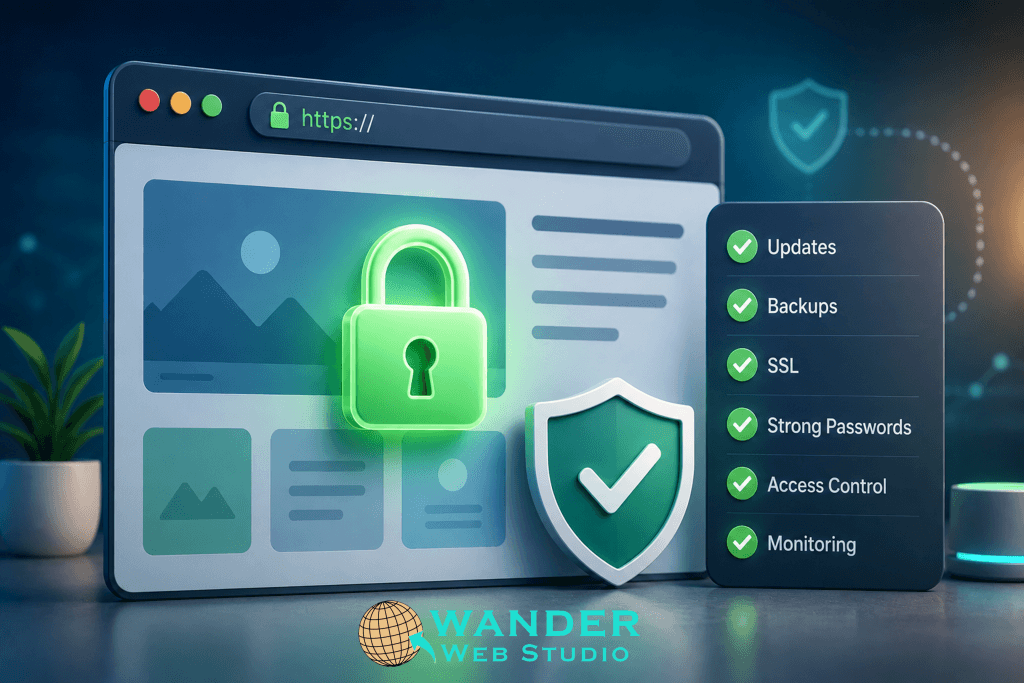
Part 1 laid out the risk, and I know reading a list of vulnerabilities can feel a little unsettling, especially if you recognized a few of them on your own site. Take a breath. Website securit* is one of the more genuinely fixable problems in this whole series, and a lot of the highest-impact steps don’t require deep technical expertise or a massive budget. Let’s get into what actually works.
This is the single most important habit here, full stop. Every plugin, theme, and core software update exists partly to patch a known vulnerability — skipping updates means leaving a documented weakness open on purpose, even if unintentionally. Setting a regular schedule to check for and apply updates, or using a maintenance service that handles it automatically, closes off the most common entry point attackers rely on.
This sounds basic because it is, and that’s exactly why it matters so much — basic gaps are what automated attacks are built to exploit. A strong, unique password for your website admin (not reused anywhere else) removes one of the easiest points of entry. Adding two-factor authentication on top of that means a stolen password alone isn’t enough to get in, which closes off a huge share of the most common attack attempts.
This one’s genuinely simple to fix and increasingly non-negotiable. An SSL certificate encrypts the connection between your site and your visitors, removes browser security warnings, and is a baseline trust signal both for human visitors and for search engines evaluating your site’s credibility. Most hosting providers now offer this free or built into their plans, so if your site doesn’t have one, it’s worth checking today.
If the worst happens — a breach, a corrupted update, even accidental deletion — a recent backup, is the difference between a minor inconvenience and starting completely over. Website security isn’t only about keeping threats out. It’s also about having a real recovery plan if something does get through, and a backup that’s current (not one from eight months ago) is the core of that plan.
A web application firewall sits between your site and incoming traffic, filtering out known malicious patterns before they ever reach your site at all. Many hosting providers and security plugins offer this as a relatively simple add-on, and it catches a meaningful share of automated attack attempts before they can even test your site for weaknesses.
This is the step people skip most often, mainly because it requires ongoing attention rather than a one-time fix. Security monitoring tools flag unexpected changes — new admin accounts, unfamiliar file edits, sudden traffic redirects — so a compromise gets caught in days instead of sitting quietly for months, doing damage the whole time unnoticed.
The numbers here are genuinely persuasive on their own. Industry research puts typical annual prevention costs for a small business at roughly $5,000 to $15,000, against recovery costs from a single serious incident that commonly land between $120,000 and well over a million dollars. That’s not a marginal difference. Prevention is, by a wide margin, the cheaper path — and unlike recovery, it also protects the trust you’ve built with customers, which doesn’t come back automatically once it’s damaged.
If all six steps feel like a lot at once, here’s a reasonable order to tackle them in:
Steps one through three can typically be done in an afternoon, even without deep technical skill. The remaining three tend to benefit from ongoing management, since backups and monitoring only work if they’re maintained consistently over time, not set up once and forgotten.
Security also connects back to something structural — a well-organized site, built around clear internal link siloing and clean architecture, tends to be easier to monitor and maintain, since there’s a clear, deliberate structure to check against rather than a sprawling, disorganized mess where an unexpected change could hide unnoticed.
If managing all of this ongoing feels like more than you want to take on solo — and for most business owners, it genuinely is, on top of everything else running a business requires — this is precisely the kind of protection built into our website maintenance and support service, backed by our parent company Cocha Technology, which focuses specifically on IT infrastructure and security. It’s a level of technical defense most standalone design agencies simply aren’t set up to provide.
Website security isn’t a one-time project you finish and forget. It’s an ongoing discipline, the same way locking your physical doors every night is a habit rather than a task you complete once. The good news is that the habit itself is straightforward, and once it’s in place, it quietly protects everything else you’ve built.
Turn your website into a high-performance business tool.
Through our parent company, Cocha Technology Inc., we are officially multi-certified as: WBE | MBE | SBE | HABE
4321 Kingwood Drive, Suite 222
Kingwood Texas 77339
Phone: 281-607-0616
Email: info@wanderwebstudio.com
Operating on Central Standard Time (CST) | Serving Clients Across All Time Zones
©2026 Wander Web Studio. All Rights Reserved.